The inventory monitor simplifies the procurement of order items for you. In addition, you always keep an overview of incoming and outgoing inventory.
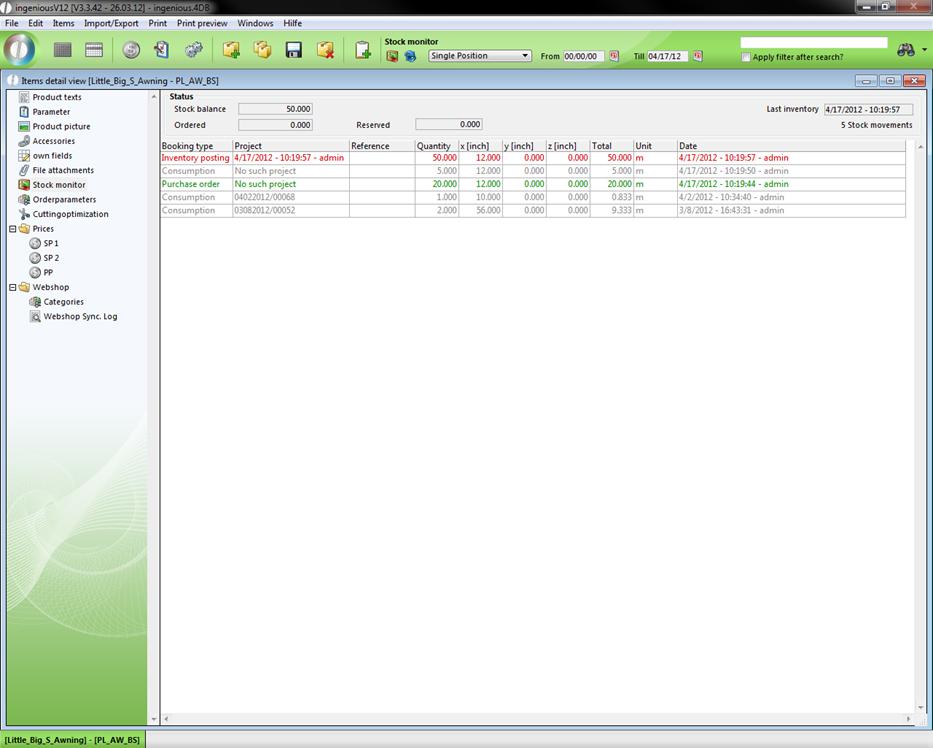
In the “Status” area, you always have a view of the current inventory status, the ordered quantity, the date of the last inventory and the number of all inventory activity of this item. With the help of the  button, you can very easily enter all inventory activity in Ingenious.V12.
Practice using the stock monitor
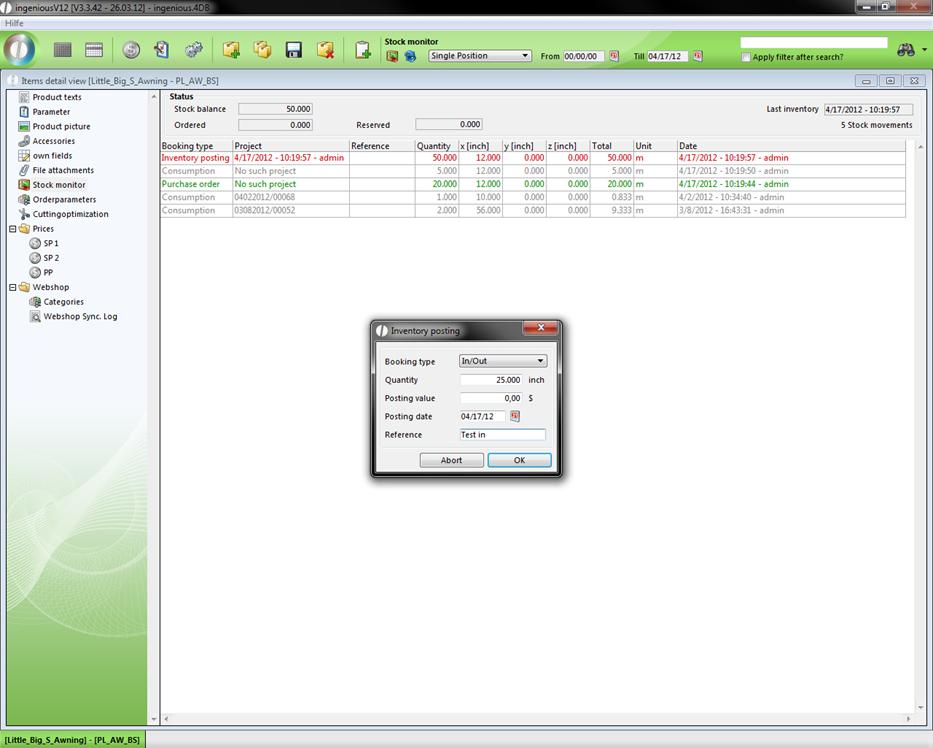
1. After you clicked on the button, a window for the quantity in stock appears.
2. Here you can select then the posting type according to whether you would like to take on an inventory input/output or an inventory posting. In addition, you provide the quantity and the value and commodity reference, according to the need.
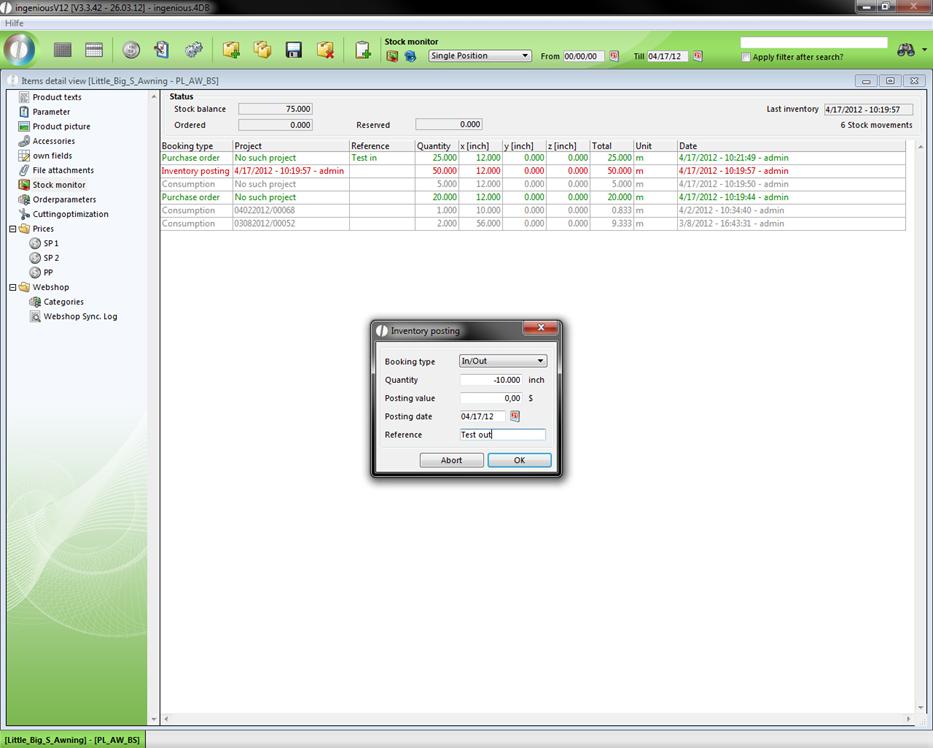
3. With the use of items, you must write a minus for use before the number, since the existence is otherwise increased by the entered sum (order below).
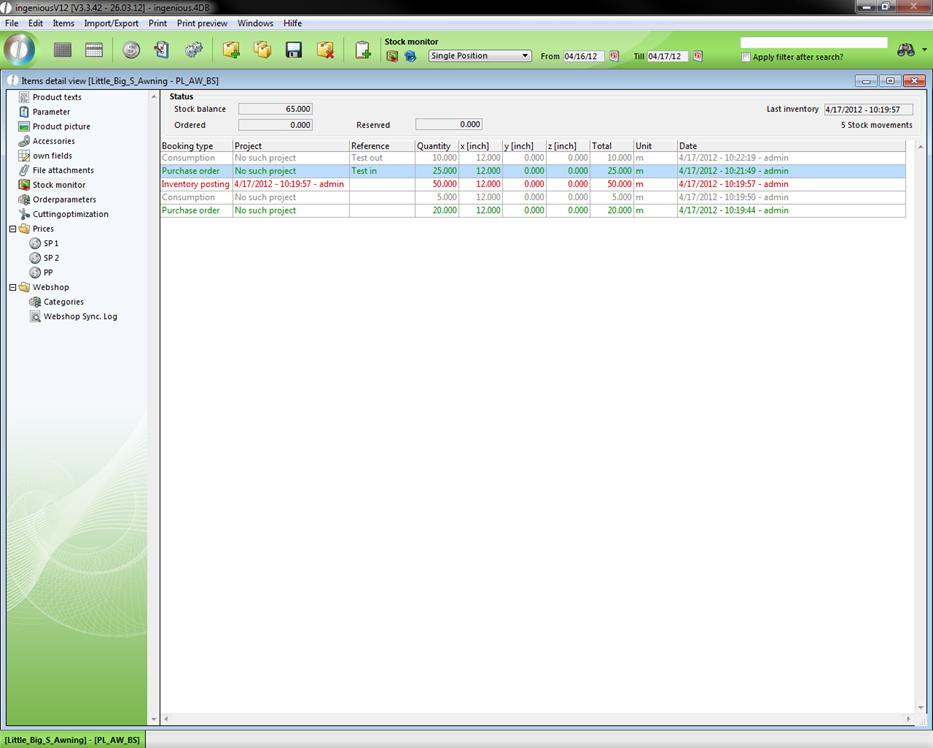
View of the stock movement according to an inventory increase
4. Note that during inventory, the number entered represents the new status and not an input or output.
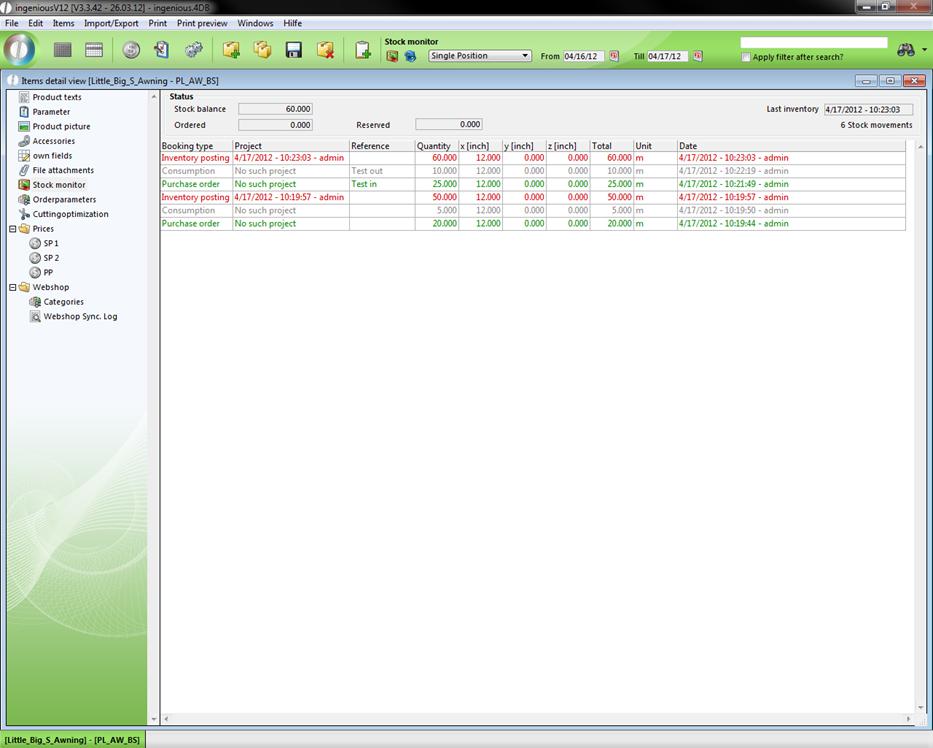
View of the inventory after an inventory posting